Today I want to share integrating JBoss EWS to JBoss EAP. This is the fourth post, part of JBoss Web-Application Cluster.
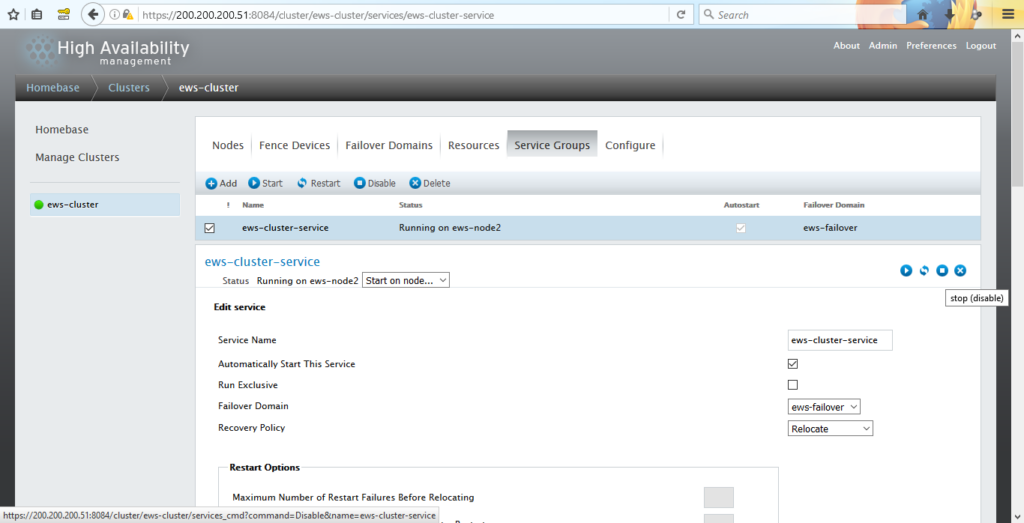
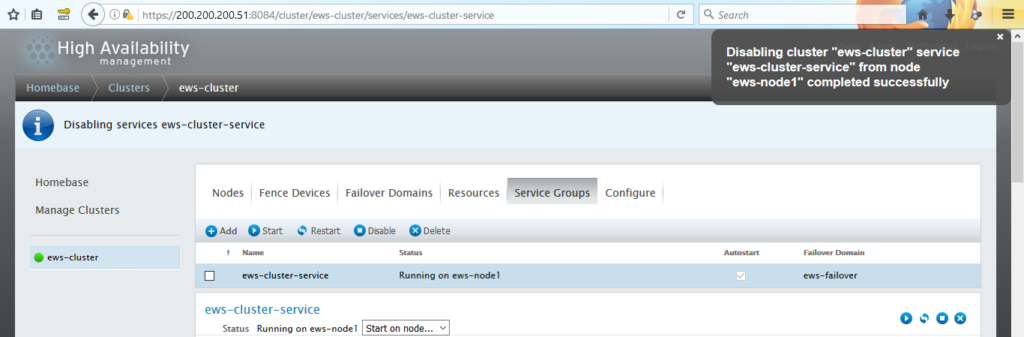
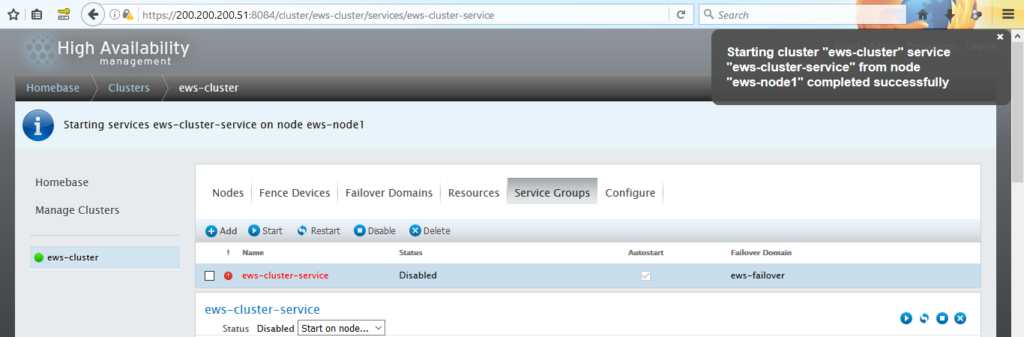
Before start to integrate, JBoss EWS httpd service must be stop. Here is the steps:
1. Open luci on browser to stop JBoss EWS httpd service
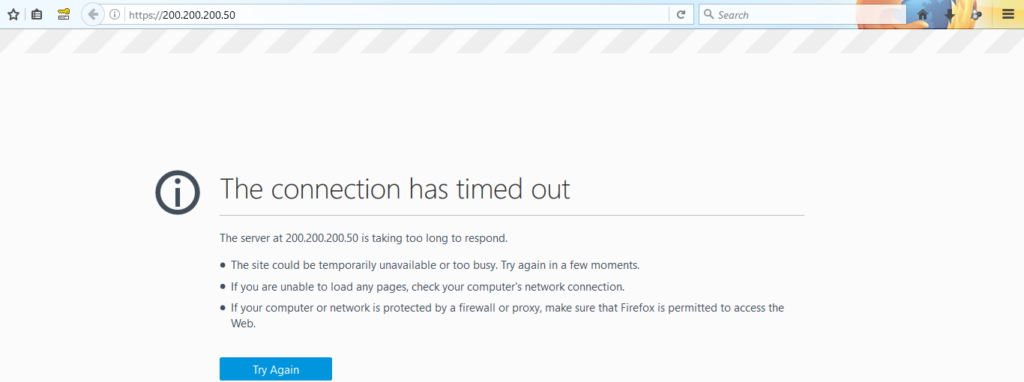
2. Access virtual IP address on browser to ensure JBoss EWS httpd service is stopped
Let’s start to integrating JBoss EWS to JBoss EAP
Part A (JBoss EWS nodes):
1. Copy JBoss EAP modules to JBoss EWS module working folder
# cd /opt/
# unzip jboss-eap-native-webserver-connectors-6.4.0-RHEL6-x86_64.zip
# cp /opt/jboss-eap-6.4/modules/system/layers/base/native/lib64/httpd/modules/mod_* /opt/jboss-ews-2.1/httpd/modules/
2. Load JBoss EAP modules to JBoss EWS
# cd jboss-eap-6.4/
# vi /opt/jboss-ews-2.1/httpd/conf/httpd.conf

Find these command lines and un-comment it as below

# mod_jk
LoadModule jk_module /opt/jboss-ews-2.1/httpd/modules/mod_jk.so
#
# mod_cluster
# mod_proxy_balancer should be disabled when mod_cluster is used
#LoadModule proxy_cluster_module /opt/jboss-ews-2.1/httpd/modules/mod_proxy_cluster.so
LoadModule slotmem_module /opt/jboss-ews-2.1/httpd/modules/mod_slotmem.so
LoadModule manager_module /opt/jboss-ews-2.1/httpd/modules/mod_manager.so
LoadModule advertise_module /opt/jboss-ews-2.1/httpd/modules/mod_advertise.so

Copy these configs at the end of this config file

<Location /server-status>
SetHandler server-status
</Location>

JkWorkersFile conf/workers.properties
JkLogFile logs/mod_jk.log
JkLogLevel error
JkLogStampFormat "[%a %b %d %H:%M:%S %Y]"
JkMountCopy On
JkOptions +ForwardKeySize +ForwardURICompatUnparsed -ForwardDirectories
JkRequestLogFormat "%w %V %T"
JkMountFile conf/uriworkermap.properties
JkShmFile run/jk.shm
JkWatchdogInterval 60

<Location /jkstatus>
JkMount status
</Location>
3. Create worker.properties and fill with these commands
# vi /opt/jboss-ews-2.1/httpd/conf/workers.properties

Fill these commands as below:
► worker.eap-node1.host with IP address of JBoss EAP node 1
► worker.eap-node2.host with IP address of JBoss EAP node 2
► worker.loadbalancer.balance_workers with hostnames of JBoss EAP node 1 and JBoss EAP node 2

worker.list=loadbalancer,jkstatus,jkmanager,status

worker.eap-node1.port=8009
worker.eap-node1.host=200.200.200.53
worker.eap-node1.type=ajp13
worker.eap-node1.ping_mode=A
worker.eap-node1.lbfactor=1

worker.eap-node2.port=8009
worker.eap-node2.host=200.200.200.54
worker.eap-node2.type=ajp13
worker.eap-node2.ping_mode=A
worker.eap-node2.lbfactor=1

worker.loadbalancer.type=lb
worker.loadbalancer.balance_workers=eap-node1,eap-node2
worker.loadbalancer.sticky_session=1

worker.template.port=8009
worker.template.type=ajp13
worker.template.ping_mode=A
worker.template.reply_timeout=10000
worker.template.socket_connect_timeout=10000
worker.template.connection_pool_timeout=600

worker.status.type=status
4. Create uriworkermap.properties and fill with these commands
# vi /opt/jboss-ews-2.1/httpd/conf/uriworkermap.properties
/cluster-demo=loadbalancer
/cluster-demo/*=loadbalancer
/cluster-jsp=loadbalancer
/cluster-jsp/*=loadbalancer
Part B (JBoss EAP nodes):
1. Give JBoss EAP nodes a ID for clustering
# vi /opt/jboss-eap-6.4/standalone/configuration/standalone-ha.xml

Fill these commands between </extensions> and <management>

► JBoss EAP node 1
<system-properties>
<property name="jboss.tx.node.id" value="eap-node1"/>
</system-properties>

► JBoss EAP node 2
<system-properties>
<property name="jboss.tx.node.id" value="eap-node2"/>
</system-properties>
2. Restart JBoss EAP service
# /etc/init.d/jboss-as-standalone.sh restart
Part C (JBoss EWS nodes):
1. Start JBoss EWS httpd service from luci on browser
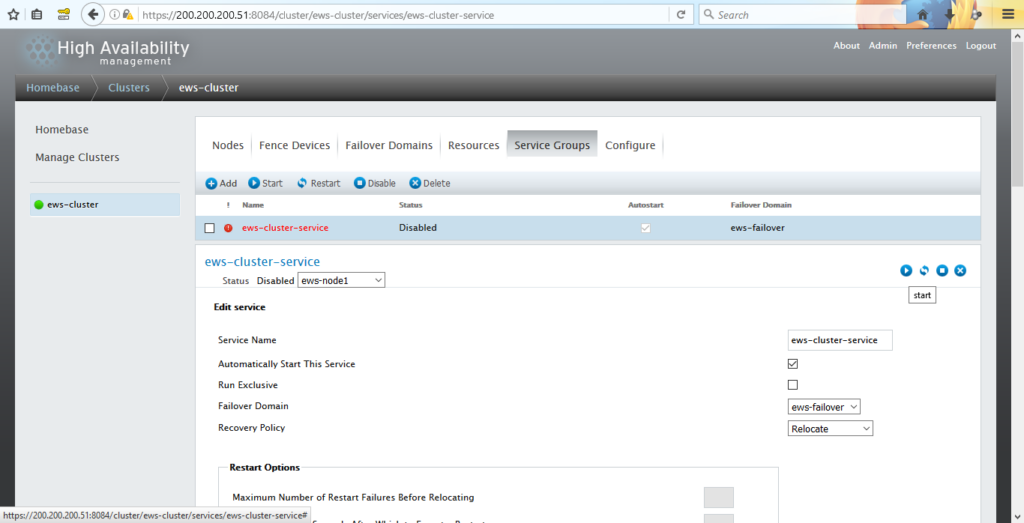
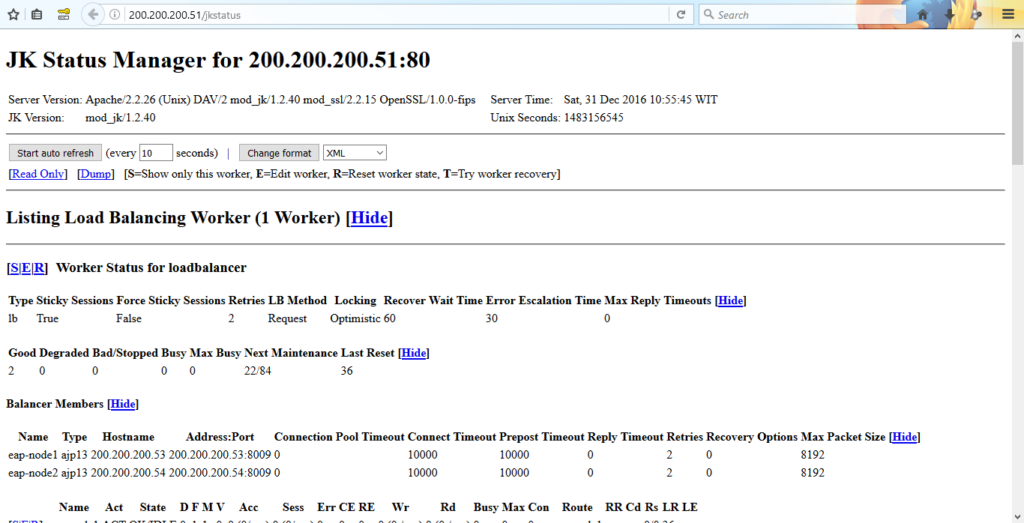
2. Open jkstatus JBoss EWS node 1 on browser with address http://200.200.200.51/jkstatus
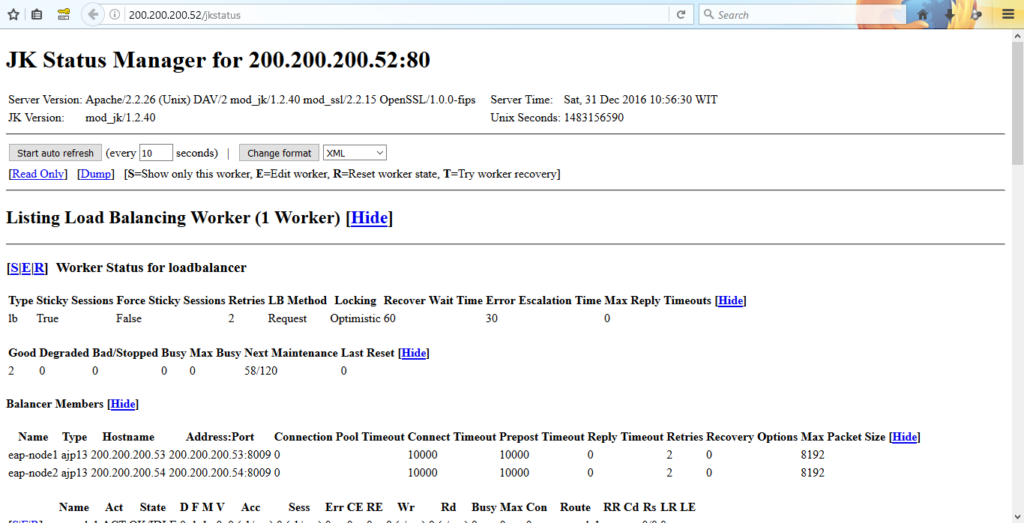
Open luci to change JBoss EWS node 1 with JBoss EWS node 2, and then open jkstatus JBoss EWS node 2 on browser with address http://200.200.200.52/jkstatus
Open jkstatus with virtual IP address on browser with address http://200.200.200.50/jkstatus
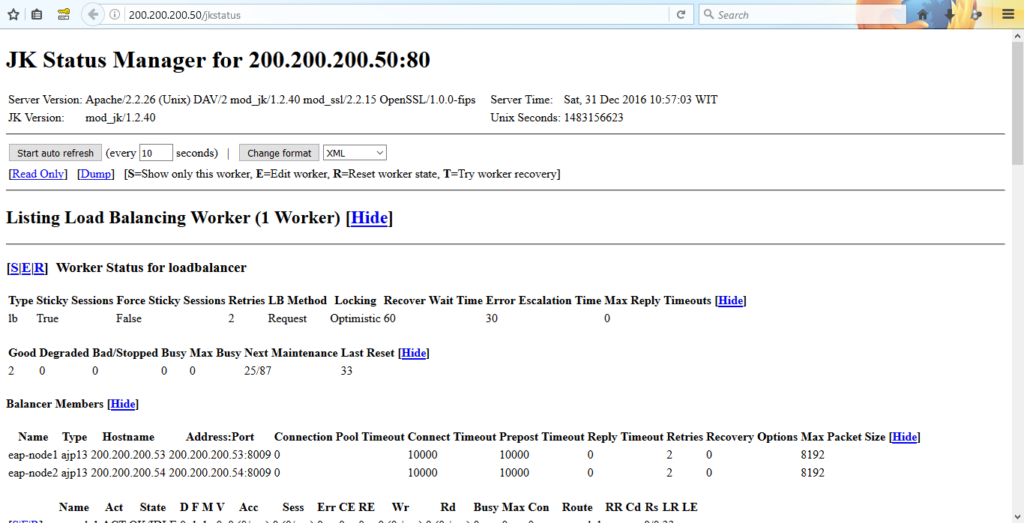
JBoss EWS nodes is now integrated with JBoss EAP nodes.
Part D, (JBoss EAP nodes):
1. Upload cluster-demo.war on JBoss EAP management on each JBoss EAP nodes to test clustering and session replication between JBoss nodes.
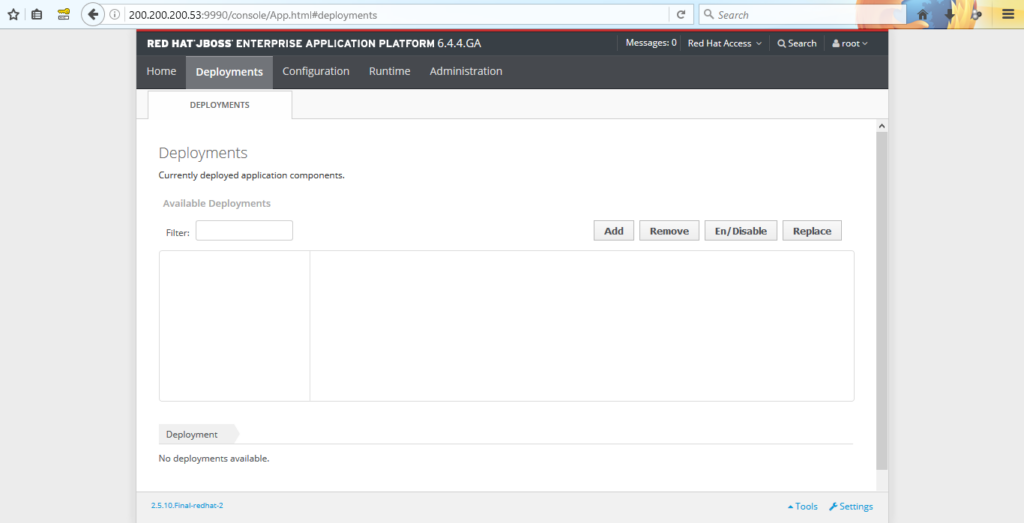
Navigate to Deployments and click Add to upload cluster-demo.war
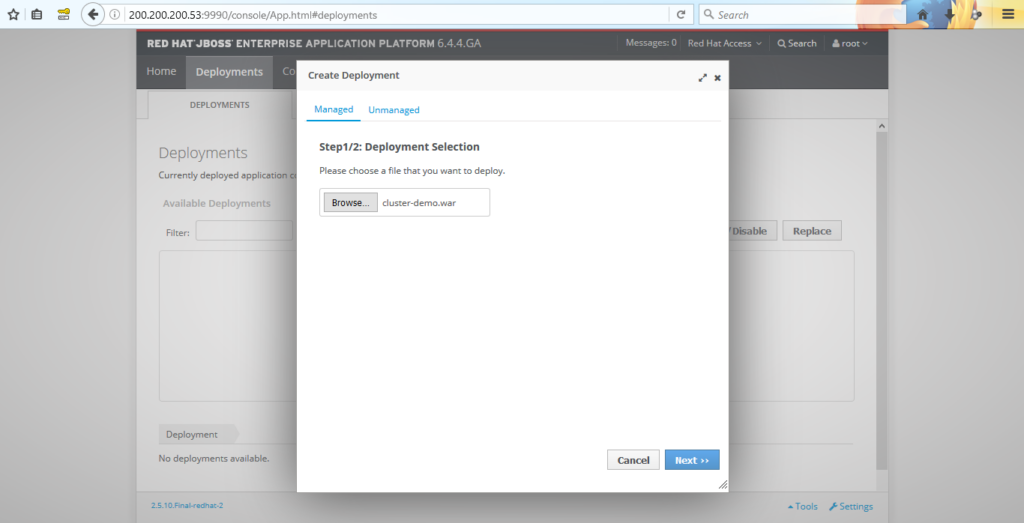
Browse cluster-demo.war file and click Next >>
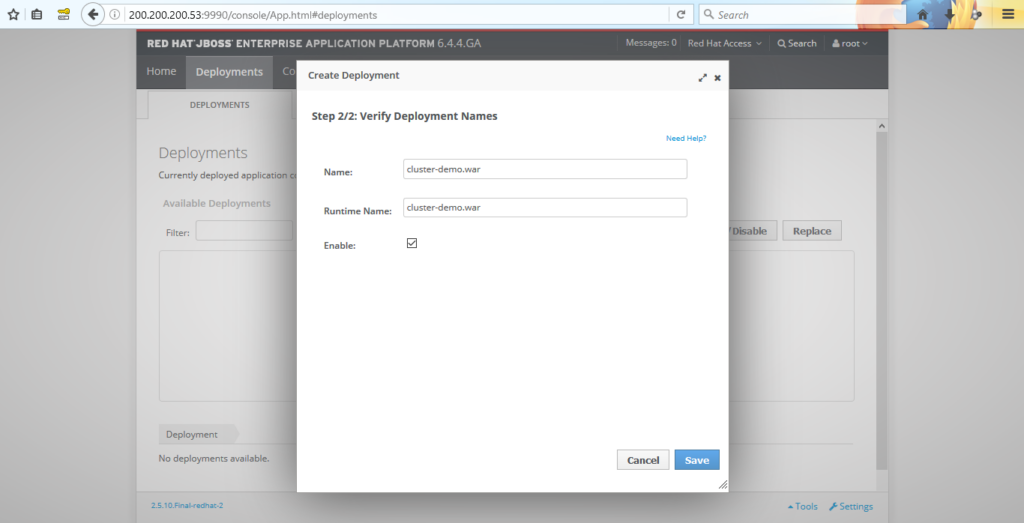
Check Enable to able access cluster-demo page
2. Open cluster-demo page on browser with address http://200.200.200.50/cluster-demo
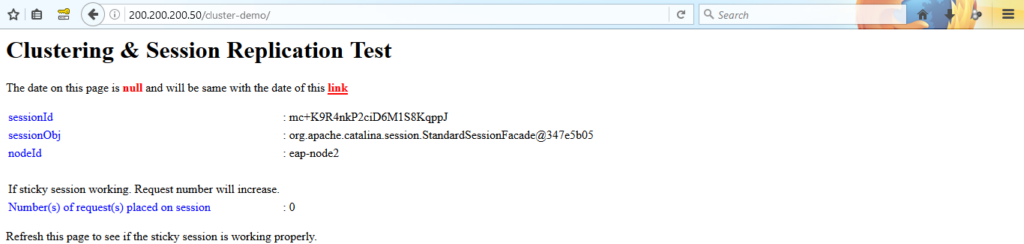
Refresh cluster-demo page to see if sticky session is working properly
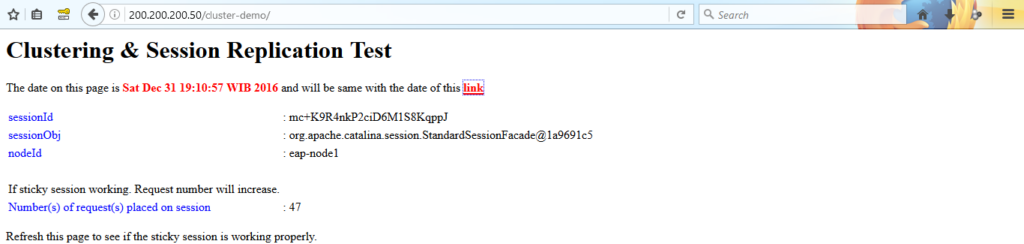
Sticky session is working properly on between nodes. To verify click link

Date is same, which means sticky session is working properly.

Note:
► Access on JBoss EAP management on each JBoss EAP nodes to upload your own java web-application content, same way as upload cluster-demo.war
► To update your own java web-application content just click Replace on Deployments tab on JBoss EAP management.
Finally, Integrating JBoss EWS to JBoss EAP is done. On the next post I will post about Installation of JBoss ON. See you on the next post!